Chrome extension
Unscroll
 Unscroll
Captures a whole web page, not just what fits on your screen. Unscroll scrolls to the bottom, takes every screen and joins them into one clean image, then saves it as PNG, JPG or PDF, or copies it.
- Long pages, wide pages and app-like layouts that scroll inside a panel
- Dashboards: the side menu is captured once, in full, beside the main area
- Pages that load or fade in content as you scroll: the page is scrolled once first, so everything is there
- Sticky headers appear once, in their place; cookie banners and chat buttons are left out
- Lists and tables that scroll inside the page can be unrolled to their full length (option)
- Full 2x on Retina screens
- PDF in A4, US Letter or US Legal, or as one tall page
- The 15 most recent captures, kept in your browser
- No account, no server, no tracking: captures stay in your browser
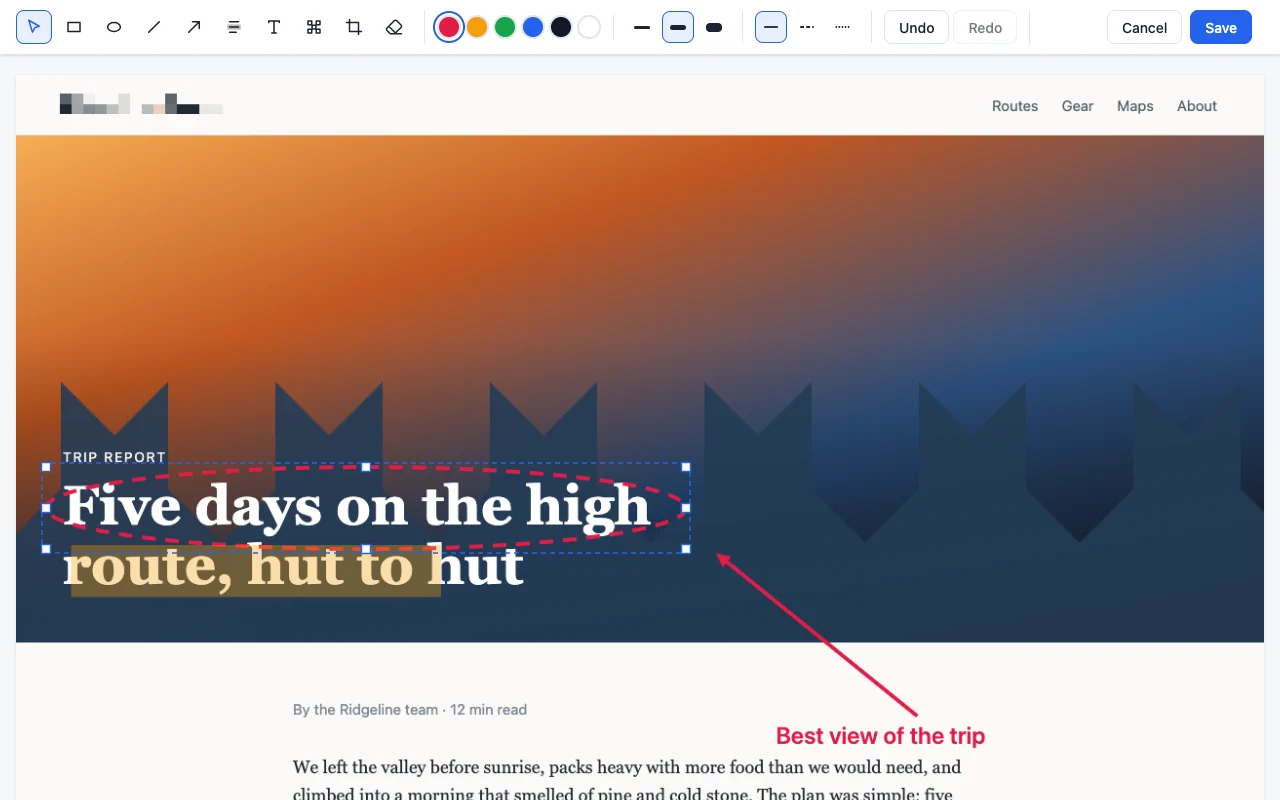
Free. Unscroll Pro, a one-time purchase of €4.99 with no subscription, adds the editor (rectangles, ellipses, lines, arrows, highlighter, text, blur and crop, with solid, dashed or dotted lines; every element can be moved, resized or erased until you save), timed capture to catch an open menu or a tooltip, capture of a selected area or one element, hiding elements before a capture, all tabs at once, 2x on any screen and phone or tablet widths, smart PDF page breaks with the URL and date, and a delay. Chrome 116 or later, in English and French. Available on the Chrome Web Store.
How to use it
Install it from the Chrome Web Store, then click the Unscroll icon, or press Alt+Shift+P, and the whole page opens as an image in a new tab, ready to download, export as PDF or copy. Right-click the icon or the page for the other ways to capture: the visible area, a timed capture (a countdown gives you time to open a menu), an area you drag, one element, hiding elements first, or every tab of the window.
Pro
Pro is a single payment of €4.99, handled by Polar, which issues a license key by email. Paste it in Unscroll's Options, under Pro. One key works in up to three browsers; removing it from one frees a place.
Privacy
Unscroll has no account and sends nothing to me. Captures stay in your browser until you download, copy or delete them. With Pro, the license key is checked with Polar, once when you enter it and then once a week. Details are in the privacy policy.