Mac app
DiskPlan
 DiskPlan
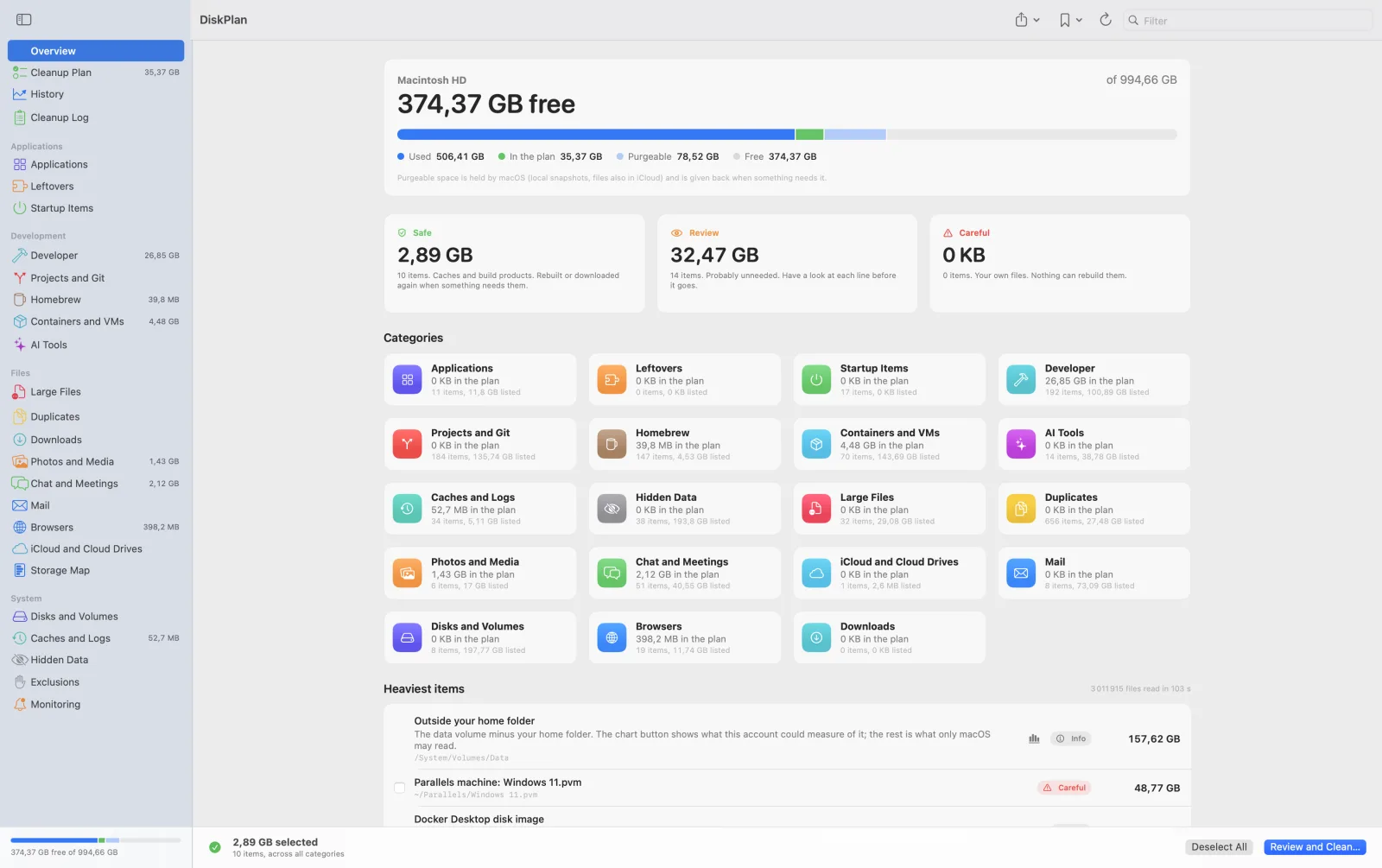
Finds what fills a developer's Mac and proposes a cleanup plan. A scan only reads: nothing is removed until you tick it and confirm, and most of what goes moves to the Trash, where Put Back returns it.
- Xcode, simulators,
node_modules, package caches, Homebrew, Docker images and volumes, virtual machines, AI models - Applications with the files they keep, leftovers of the ones you removed, startup items
- Old projects and repositories, told apart by whether everything was pushed
- Mail and Messages attachments, browser profiles, downloads, duplicates, large files, device backups
- Every line marked Safe, Review or Careful; only the safe ones are ticked for you
- A storage map, free space scan after scan, and a log of every clean
- No account, no network connection: nothing leaves your Mac
Free. Version 1.0.1, signed and notarized by Apple. macOS 14 or later, Apple silicon or Intel.

Before the first scan
Open the disk image and drag DiskPlan to Applications. It is not on the Mac App Store: the store's sandbox forbids what a disk cleaner has to do, so the app is distributed here, signed with an Apple Developer ID and notarized.
Full Disk Access
To read Mail, Messages, Safari, the Trash and other applications' data, macOS asks for Full Disk Access: System Settings > Privacy & Security > Full Disk Access, then turn DiskPlan on. The app checks before every scan and says so when access is missing.
What a clean does
Caches are emptied in place. Everything else moves to the Trash, unless you choose to delete for good.
Tools that have their own cleanup are cleaned through it (brew cleanup,
docker builder prune). An old project can be zipped before it goes, and your own files can be
copied to another disk first, checked file by file. What belongs to the system is removed as administrator:
macOS shows its own password dialog, and the app never sees the password. That includes an application installed
for all users (by an installer package or the App Store): it goes to your Trash, where Put Back returns it.
Privacy
DiskPlan makes no network connection and collects nothing. Its own files (scan history, cleanup log,
settings) stay in ~/Library/Application Support/DiskPlan.
Support
Write to support@monier.tv with your macOS version
and what you saw. To check the download, its SHA-256 is
aeabd9b25fc7107a2ab40df92ff0ab7adf8aa5073b44374aa6d2ac8237d8ff95.